Understanding Network Devices
How the Internet Reaches our Home or Office
When you open a website or send a request from your laptop or mobile device your system is not directly connected to the internet. Instead request travels through multiple networking devices each device is responsible for a specific task.
The internet is a network of networks and data moves in the form of small units called packets. These packets pass through several devices before reaching your device.
To make this possible multiple networking devices work together. The modem connects your local network to your Internet Service Provider (ISP). The router then directs incoming and outgoing traffic to the correct device within your home or office network.
Inside the local network devices are connected using a switch or in older time with a hub. A hub broadcasts data to all connected devices but switch intelligently sends data only to the intended devices. Modern networks use switches because they are faster, more secure, and more efficient.
Each device in this chain has a specific responsibility, and understanding this flow provides a clear foundation for learning how individual network devices work.

What Is a Modem and How It Connects You to the Internet
A modem is the device that connects your local network to your Internet Service Provider (ISP). It acts as the entry point through which internet data reaches your home or office network.
Internet signals provided by ISPs travel over fiber or cable which cannot be directly understood by your computer or mobile device. The modem solves this problem by converting these signals into digital data that your network can use. In simple terms, it acts as a translator between your ISP and your local network.
It establishes the internet connection. Receives incoming data from the ISP and passes it to the router. So basically it act like the bridge or connect the public internet with the private network.
What Is a Router and How It Directs Traffic
A router is a device that directs internet traffic between the modem and the devices within your home or office network. While the modem brings the internet into the network. The router decides where that data should go.
In a typical setup, multiple devices like laptops and mobile phones share a single internet connection. The router solves this problem by assigning each device a private IP address and keeping track of which device requests which data. When a response comes back from the internet, the router ensures it is delivered to the correct device.
You can think of a router as a traffic police officer at a busy roads. Just as traffic police control the flow of vehicles and prevent collisions, a router manages data traffic and ensures packets reach their intended destination without confusion.

Difference Between Modem and Router
What a Modem Does
Connects your home or office network to the Internet Service Provider (ISP)
Converts ISP signals (fiber, cable) into digital data your devices can understand
Brings the internet into your network
Without a modem there is no internet access
What a Router Does
Distributes the internet connection to multiple devices
Directs traffic to the correct device using IP addresses
Manages local networking (Wi-Fi, LAN)
Without a router, only one device could effectively use the internet
Local Network Devices: Hub and Switch
Once the internet reaches your home or office through the modem and is managed by the router, the next challenge is distributing that network connection to multiple local devices such as laptops, desktops, printers, and servers.
This is where local network devices like switches and hubs come to manage or distribute network connection to multiple devices.
What Is a Hub?
A hub is a basic device that connects multiple devices to a router. When data comes from the router, the hub sends it to all connected devices, and each device checks if it is for them. Think like hub is like a loudspeaker, it announces every message to everyone.
What Is a Switch?
A switch is a smarter device that sits between the router and devices. It sends data only to the intended device, reducing collisions and improving speed. Switches are widely used in modern networks. If the router is a traffic officer, the switch is like a mail system that delivers each packet to the right place.
Difference Between Hub and Switch
Both hubs and switches connect devices in a local network, they work very differently. A hub broadcasts data to all devices, making it slow and less secure, and is rarely used today. A switch on the other hand, sends data only to the intended device, reducing collisions, improving speed, and providing better security. In short, hubs are like loudspeakers that announce every message, while switches are like smart delivery systems that send packets to the right place.
What Is a Firewall and Why Security Lives Here
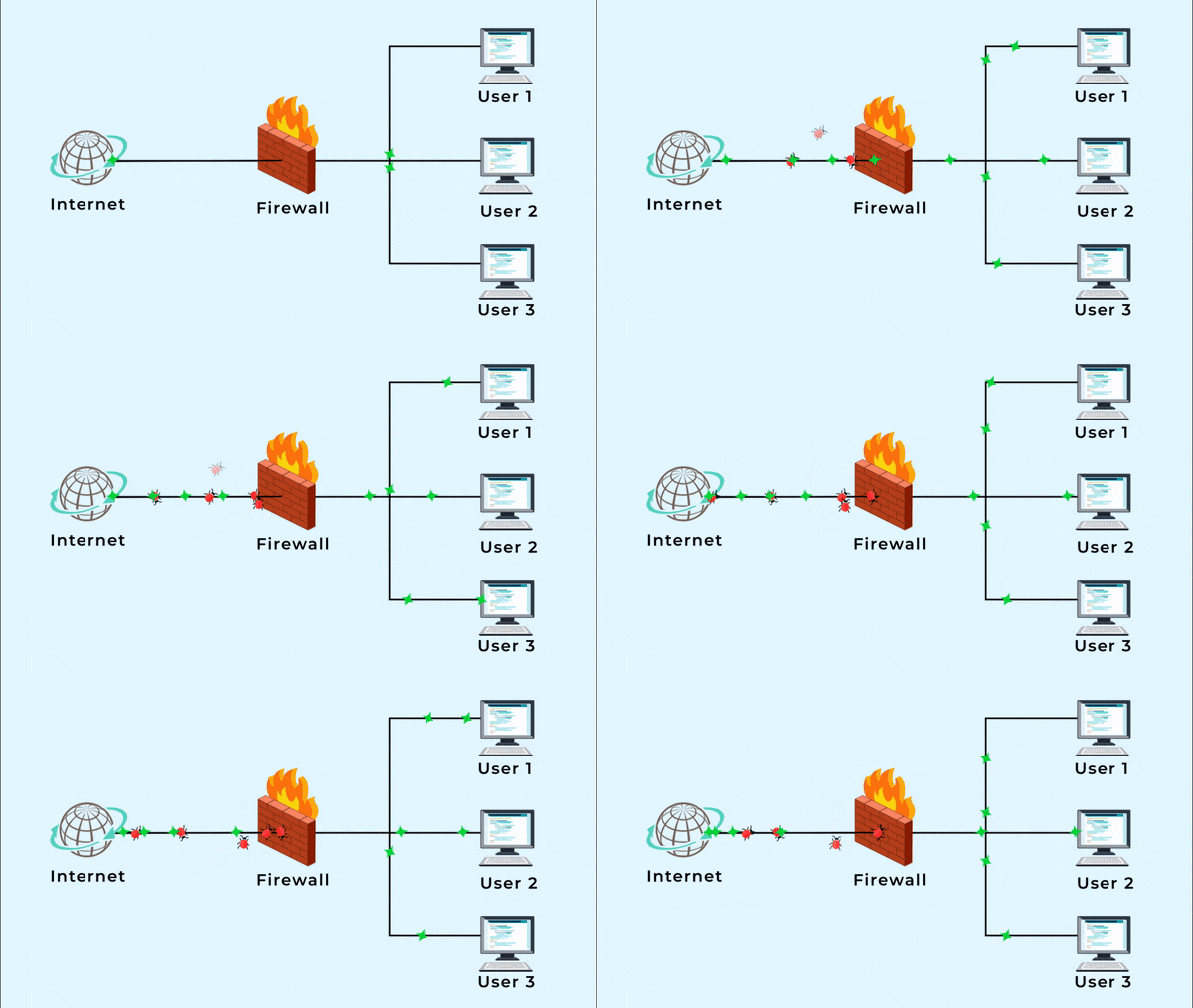
After data is routed and delivered within the local network via switches. The next critical concern is security. A firewall is a device or software that filters network traffic based on rules, ensuring only safe and trusted traffic reaches your devices. It is usually placed between the router and the switch or just before servers in a network.
Firewalls are responsible for blocking malicious traffic, allowing secure connections and preventing unauthorized access. You can think of a firewall as a security gate or bouncer at the entrance of a building. It carefully inspects every request before allowing it through.
What Is a Load Balancer and Why Scalable Systems Need It
Once the network is secured by a firewall, the next challenge for high traffic applications is scalability. A load balancer is a device or software that distributes incoming requests across multiple servers to ensure no single server is overloaded. This helps maintain smooth performance and keeps services available even during more traffic.
Load balancers are responsible for preventing server overload and improving uptime. You can think of a load balancer like a toll booth that directs cars to different lanes, making sure traffic flows evenly. In a typical setup, after requests pass the firewall, the load balancer directs them to multiple backend servers (Server 1, Server 2, Server 3), ensuring the system remains fast, reliable, and scalable.
How All These Devices Work Together in a Real-World Setup
In a real-world network all devices work together to deliver internet and handle requests efficiently. The modem brings the internet from the ISP. The router directs this traffic to your local network, where a switch distributes it to multiple devices. A firewall checks the traffic for security, blocking unsafe requests. For high traffic systems, a load balancer then distributes requests across multiple backend servers to ensure no single server is overloaded. Together, these devices make the network fast, secure, and scalable, whether for a home setup or a production environment.